• Professional Work
    • Instil
    • ZipRecruiter
    • Groove
    • Chromatik
    • F2M2
    • 17hats
  • Pixels & Art
    • Pixels
    • Mixed Media
  • Leadership
  • About
  • Blog
Jen Donohue - Product Designer
  • Professional Work
    • Instil
    • ZipRecruiter
    • Groove
    • Chromatik
    • F2M2
    • 17hats
  • Pixels & Art
    • Pixels
    • Mixed Media
  • Leadership
  • About
  • Blog

Hatch.ai Integration

Embedding Giving Intelligence directly into Instil to streamline donor prospecting and relationship-building.


The Goal

The goal of this project was to remove the friction and guesswork from traditional wealth screening by embedding Giving Intelligence directly into the Instil platform. By integrating Hatch data at the profile level, we aimed to give fundraisers immediate access to enriched, up-to-date insights—without requiring separate tools, manual workflows, or specialized training.

This integration was designed to help teams prospect faster, forecast more confidently, and spend less time navigating data and more time building meaningful relationships with donors.


The Team

As the lead designer for this project, I worked with stakeholders from Product, Engineering, Customer Success, Leadership, and Hatch.ai team (external).

Activities 

  • Research Studies

  • Wireframing and User Flows

  • Pattern/Component Creation (Design System)

  • Visual Design

Timeline 

  • Design: Q3 2025

  • Engineering Implementation: Q4 2025

  • Launch and Post-Launch Tracking: Q4 2025


User Flows & Wireframes


Designs

Phase 1 - Boosting Constituent Profiles and Tracking Status in Org Settings

Boost a Constituent Profile - Desktop
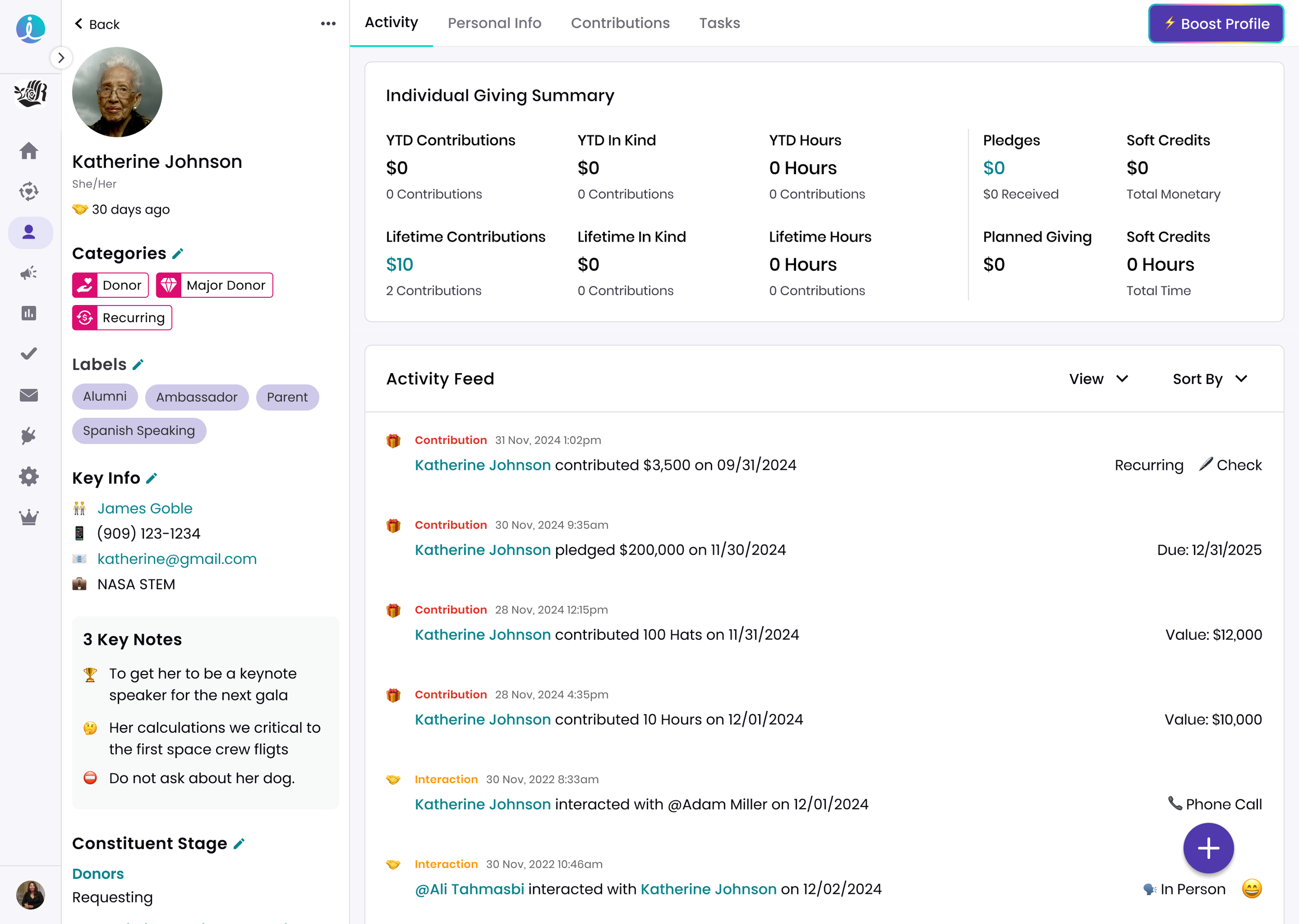
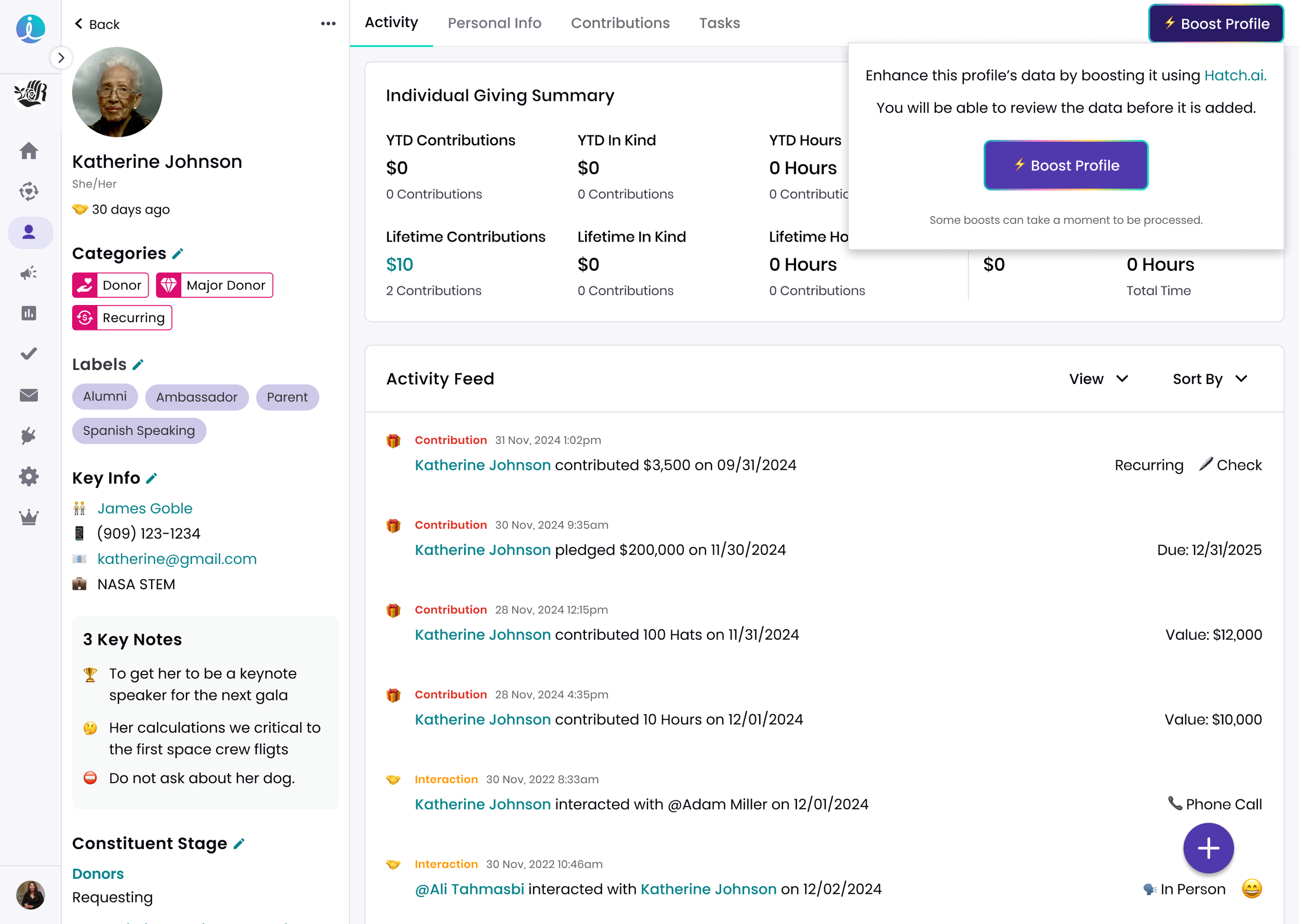
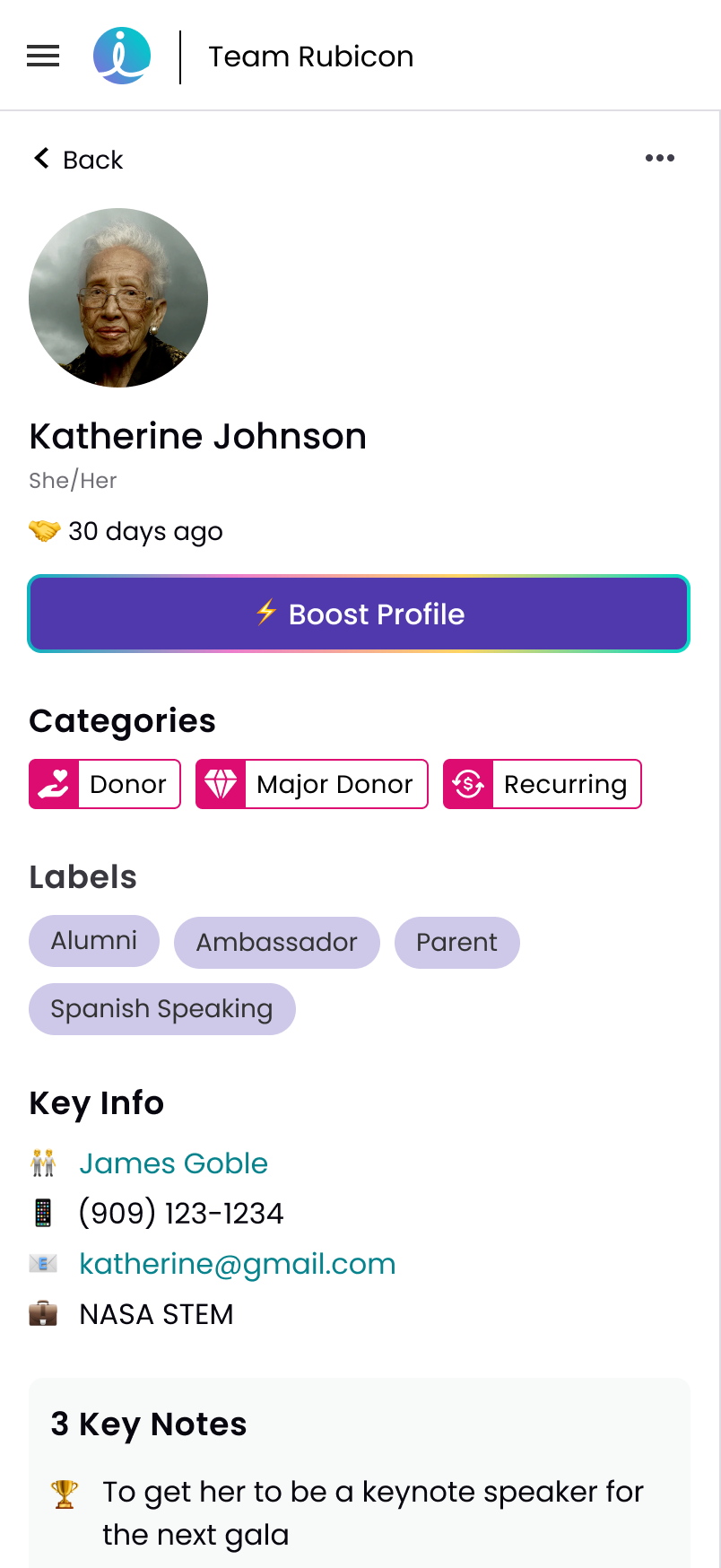
View fullsize Boost Button CTA
Boost Button CTA
View fullsize Info Modal to Begin
Info Modal to Begin
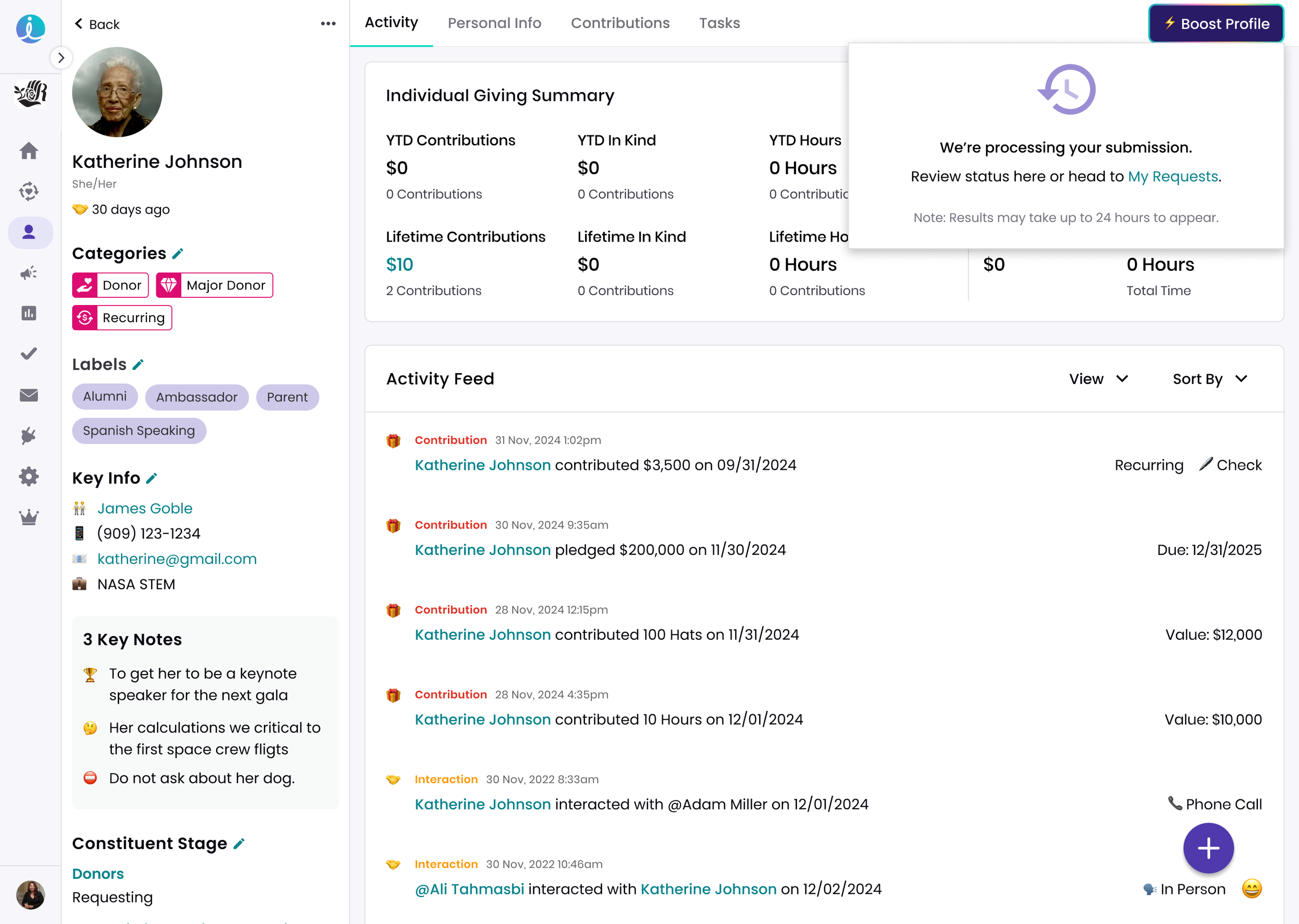
View fullsize Info Modal Processing Request
Info Modal Processing Request
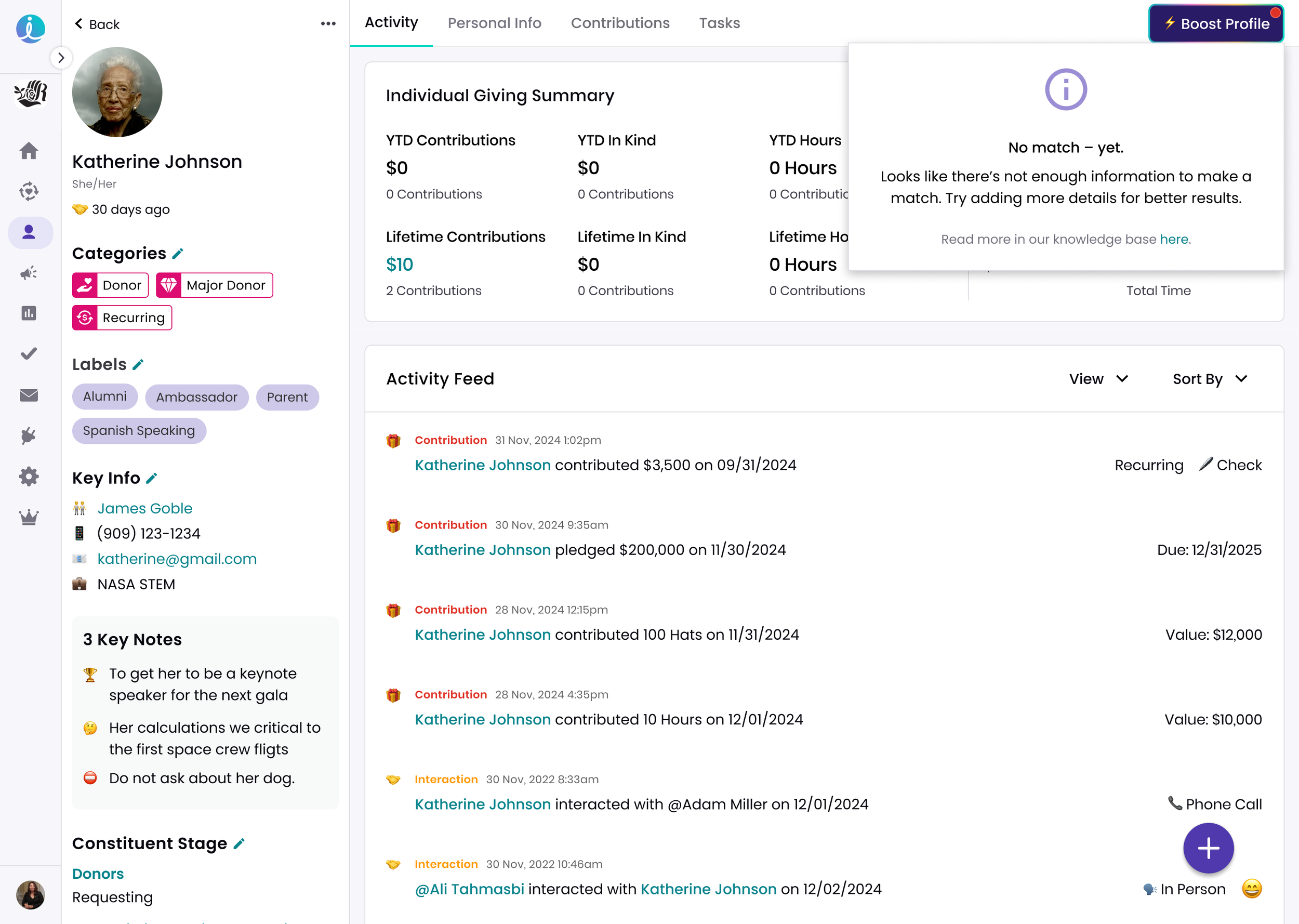
View fullsize Info Modal Null Results
Info Modal Null Results
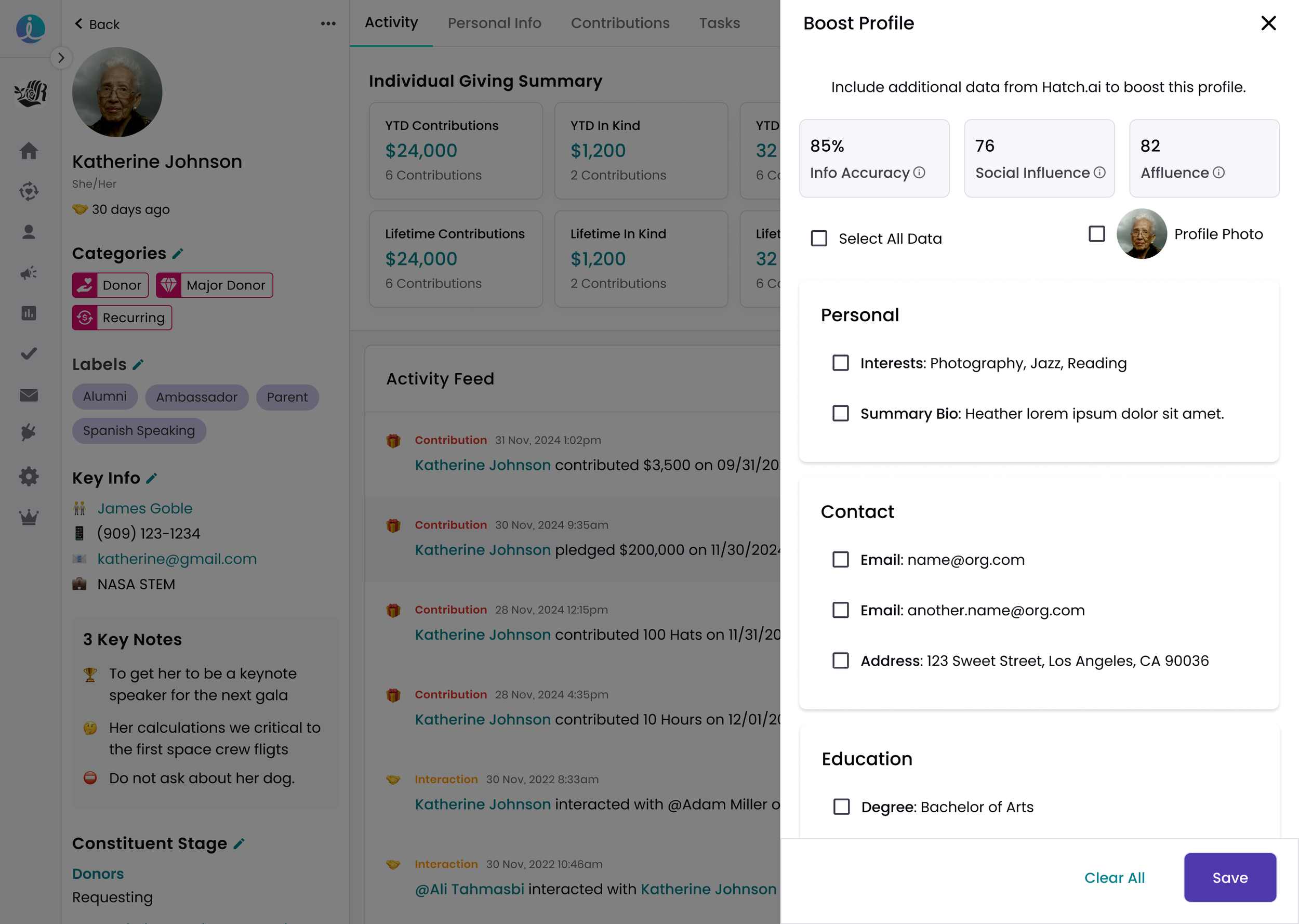
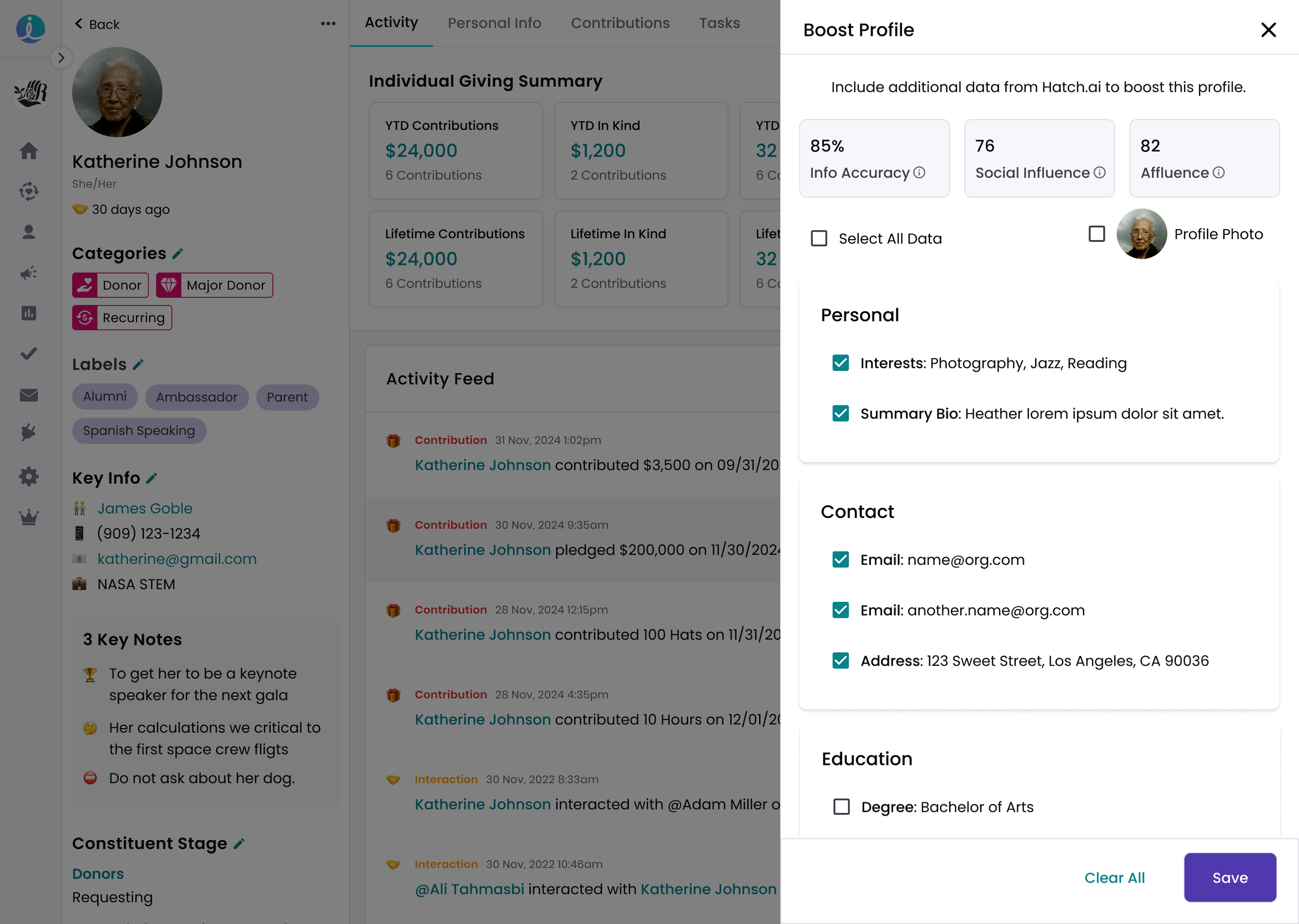
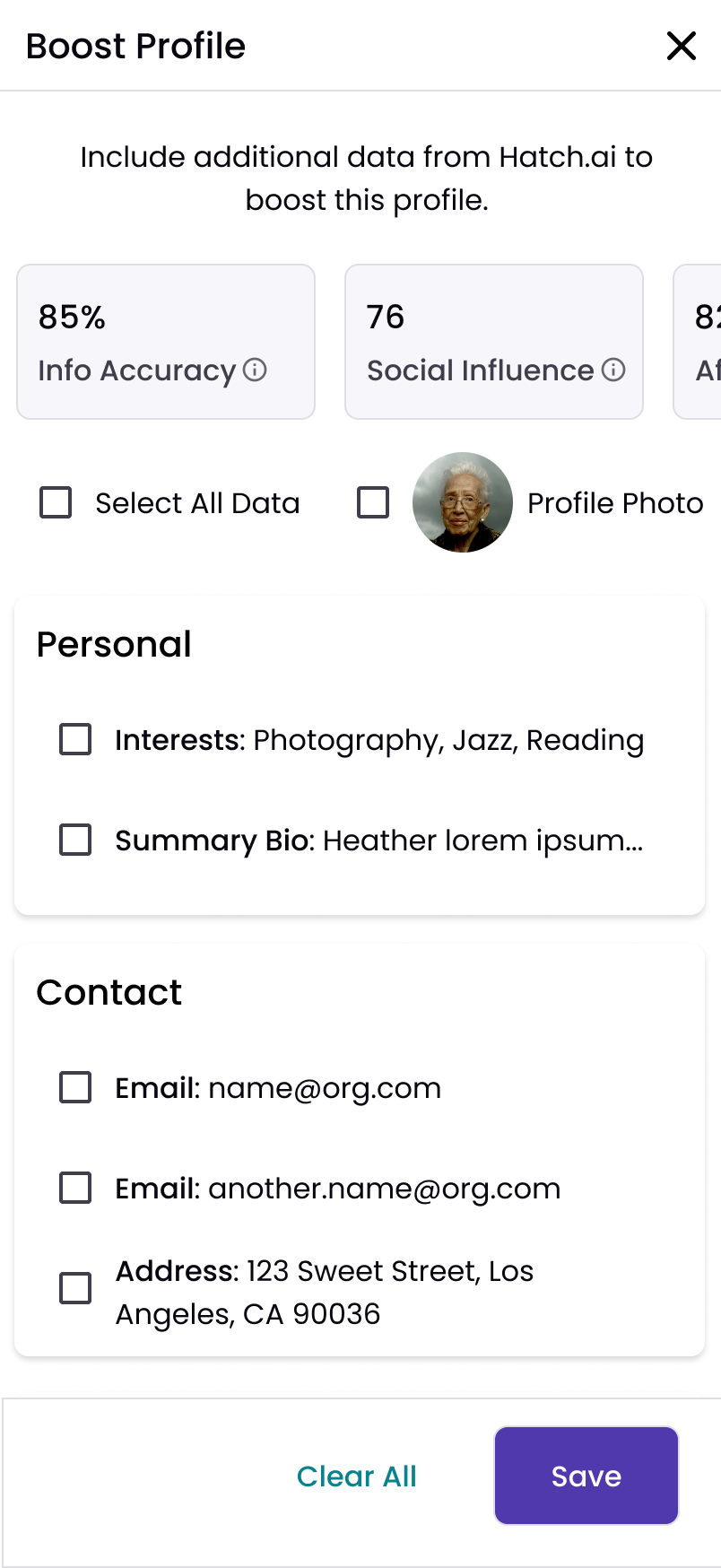
View fullsize Match Available - Default Data Pane
Match Available - Default Data Pane
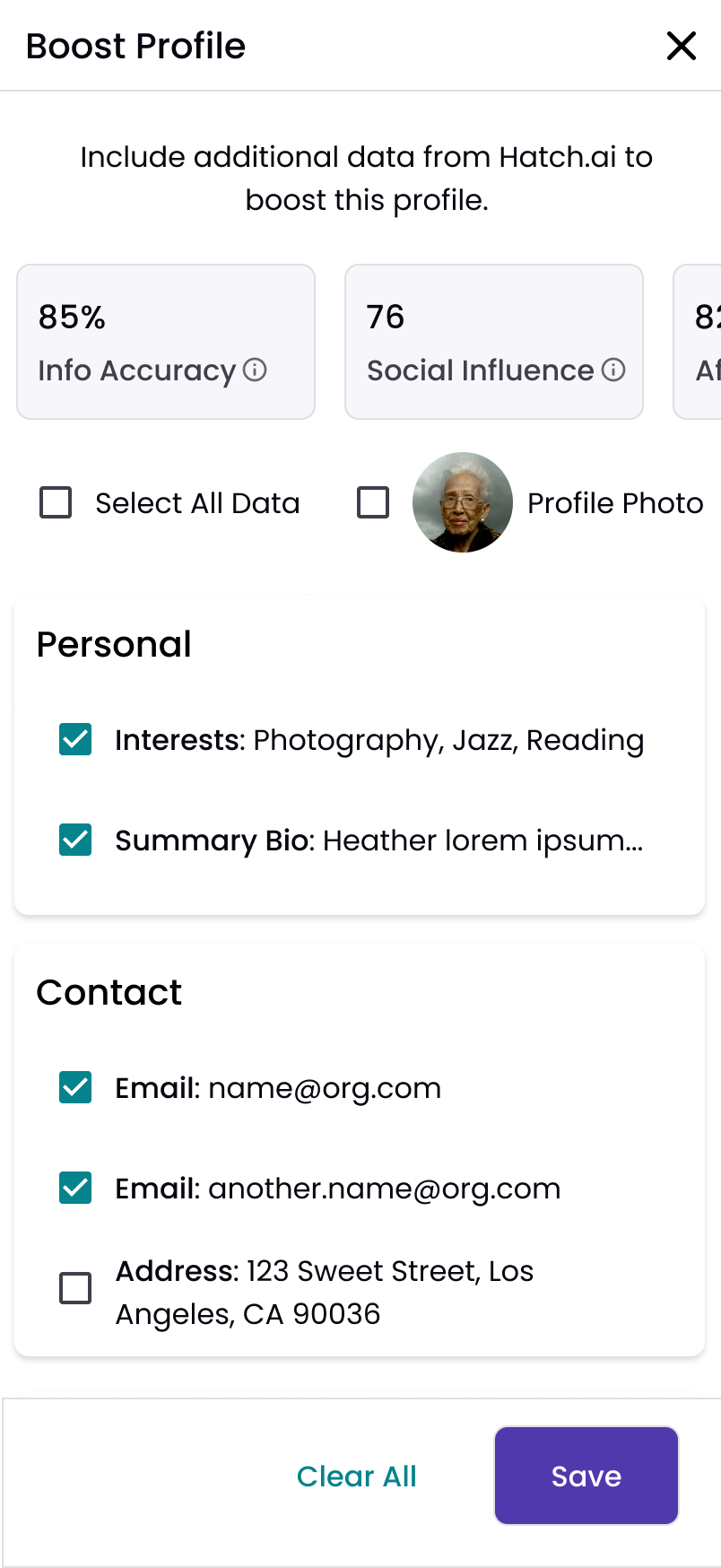
View fullsize Match Available - Selected Data Pane
Match Available - Selected Data Pane
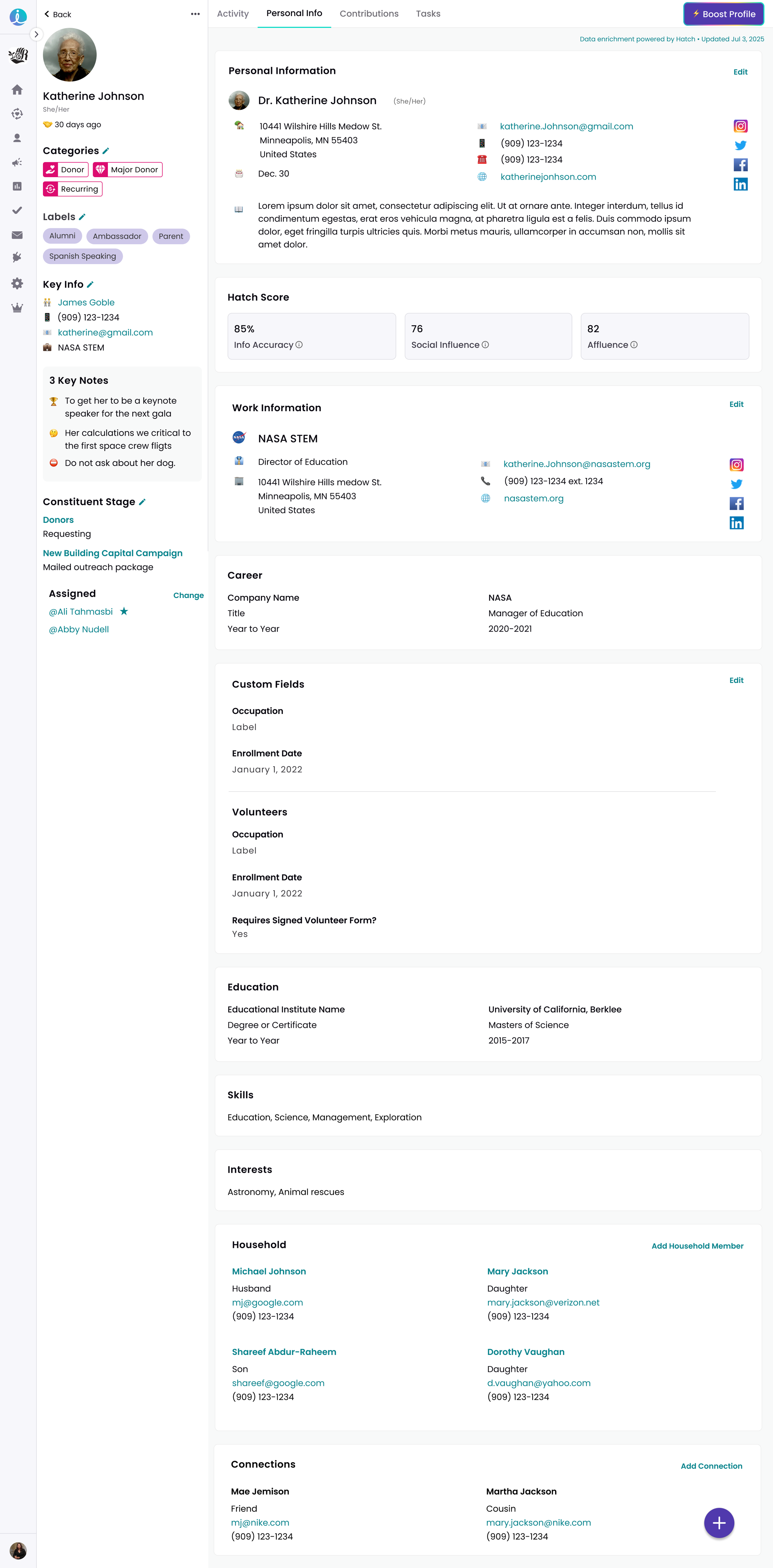
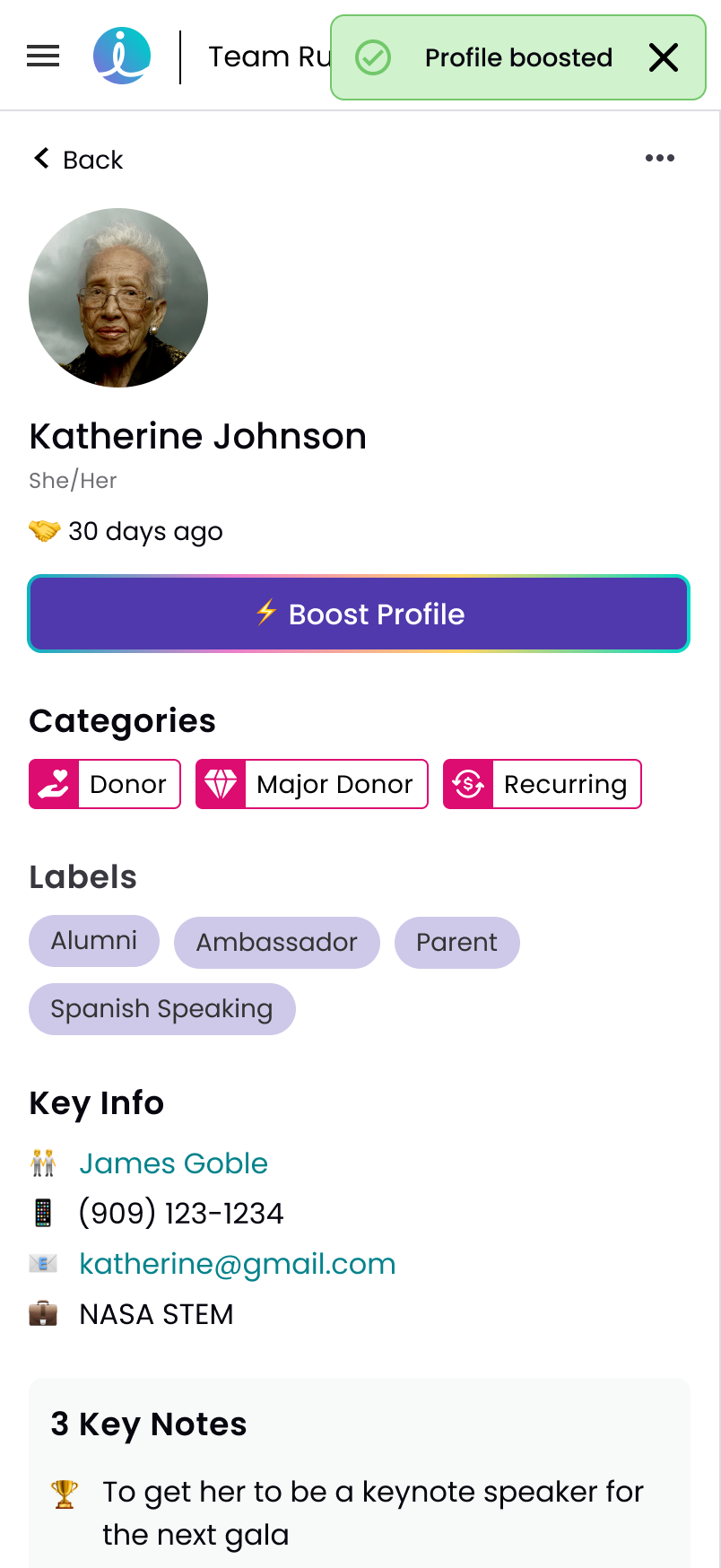
View fullsize Hatch Data Appended to Profile
Hatch Data Appended to Profile
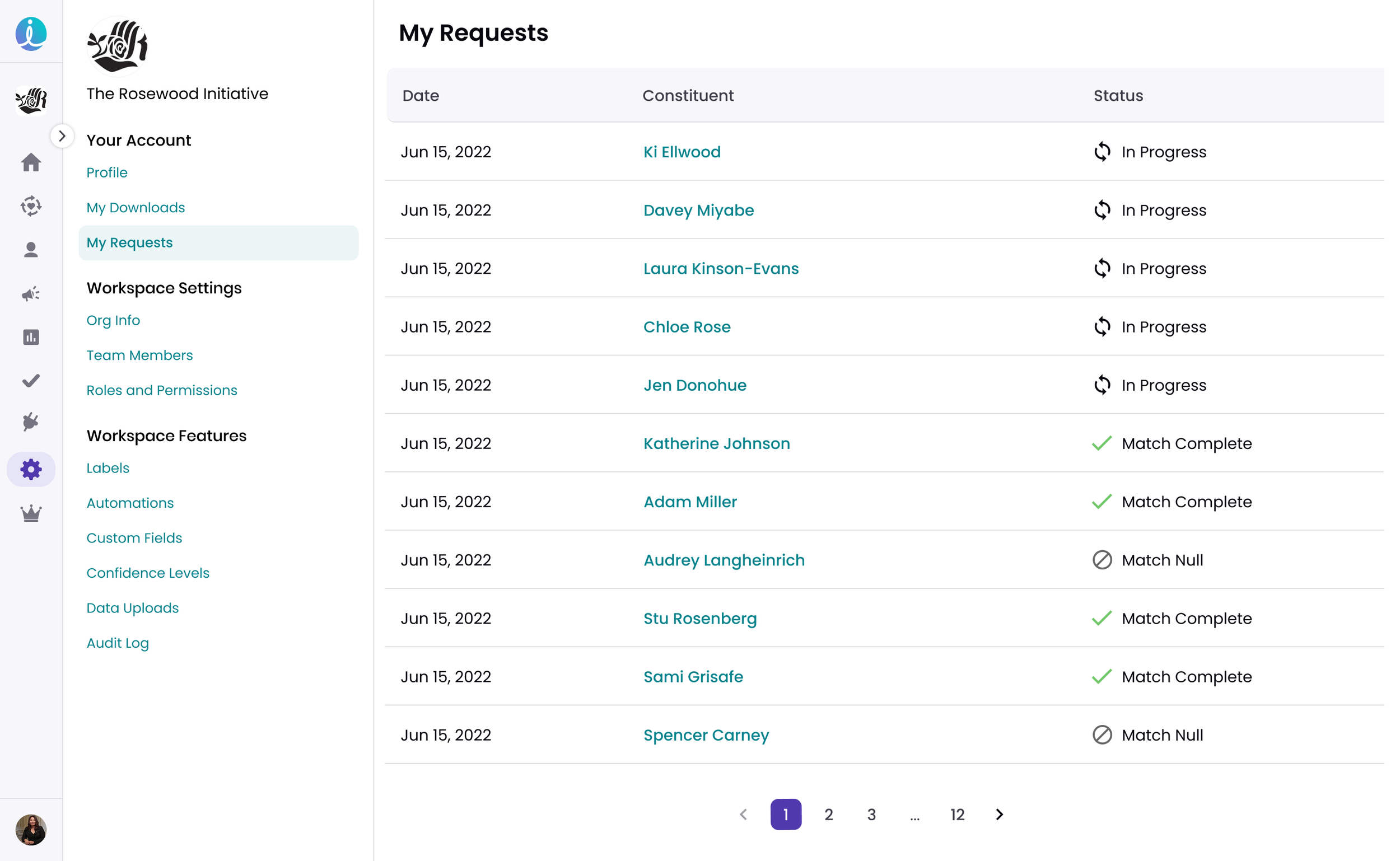
View fullsize Org Settings - View All Requests
Org Settings - View All Requests
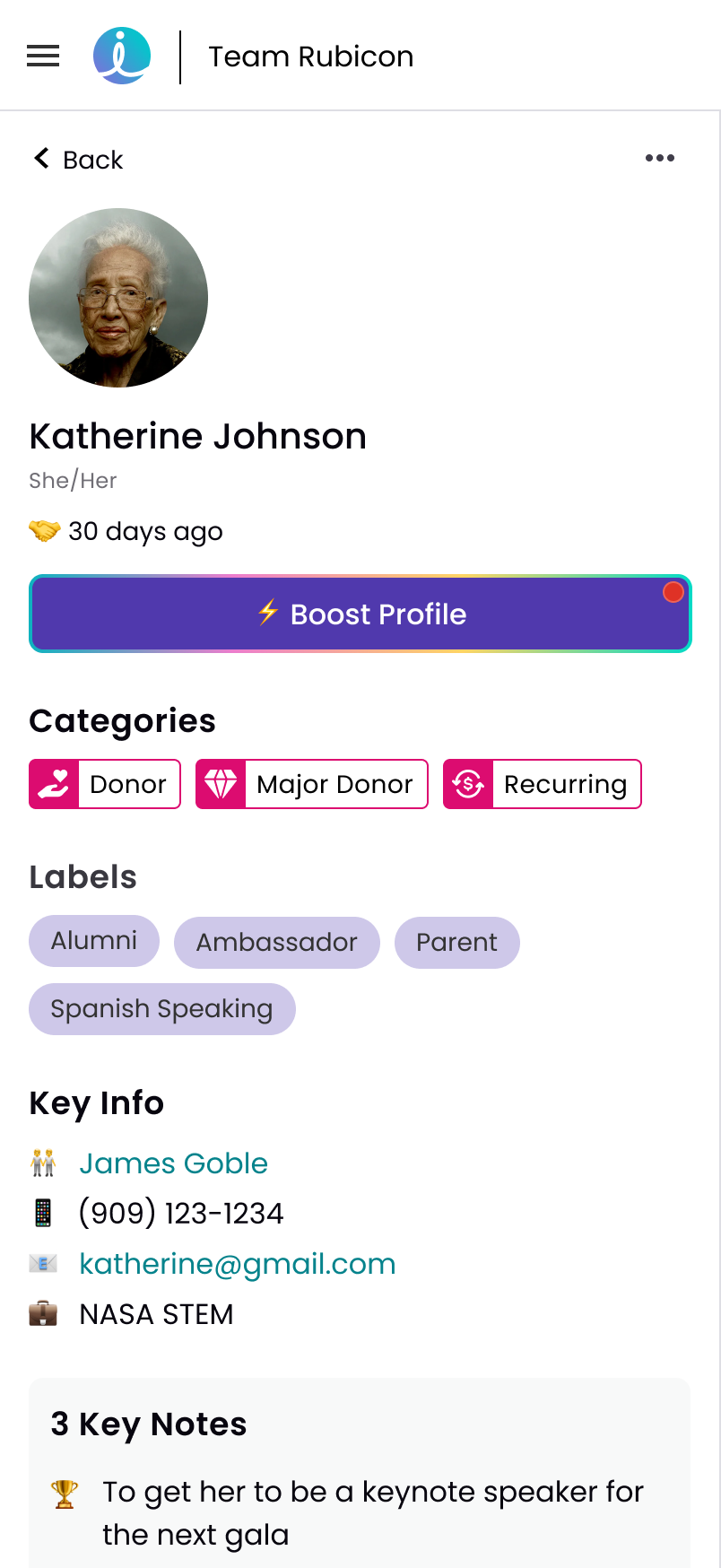
View fullsize Constituent Profile Default
Constituent Profile Default
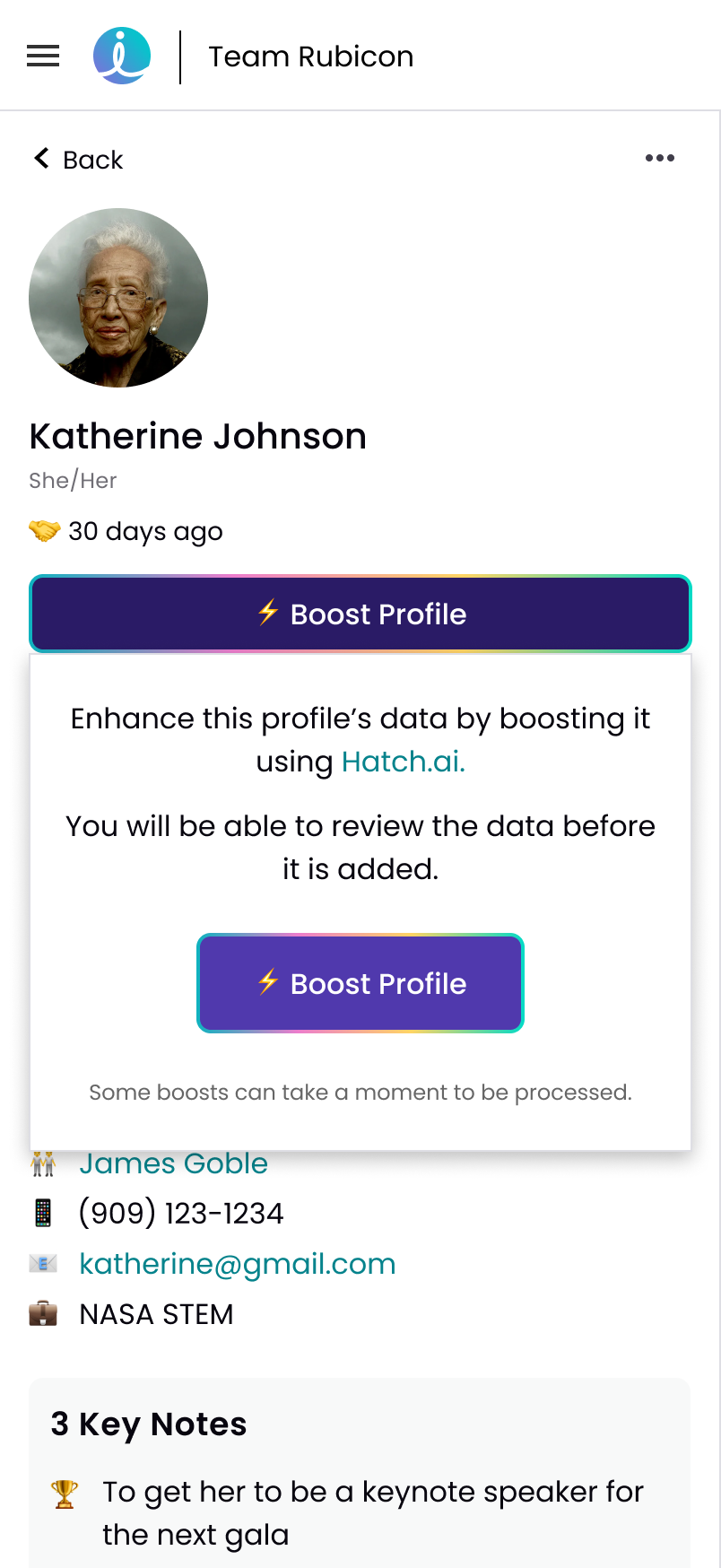
View fullsize Boost Info Modal
Boost Info Modal
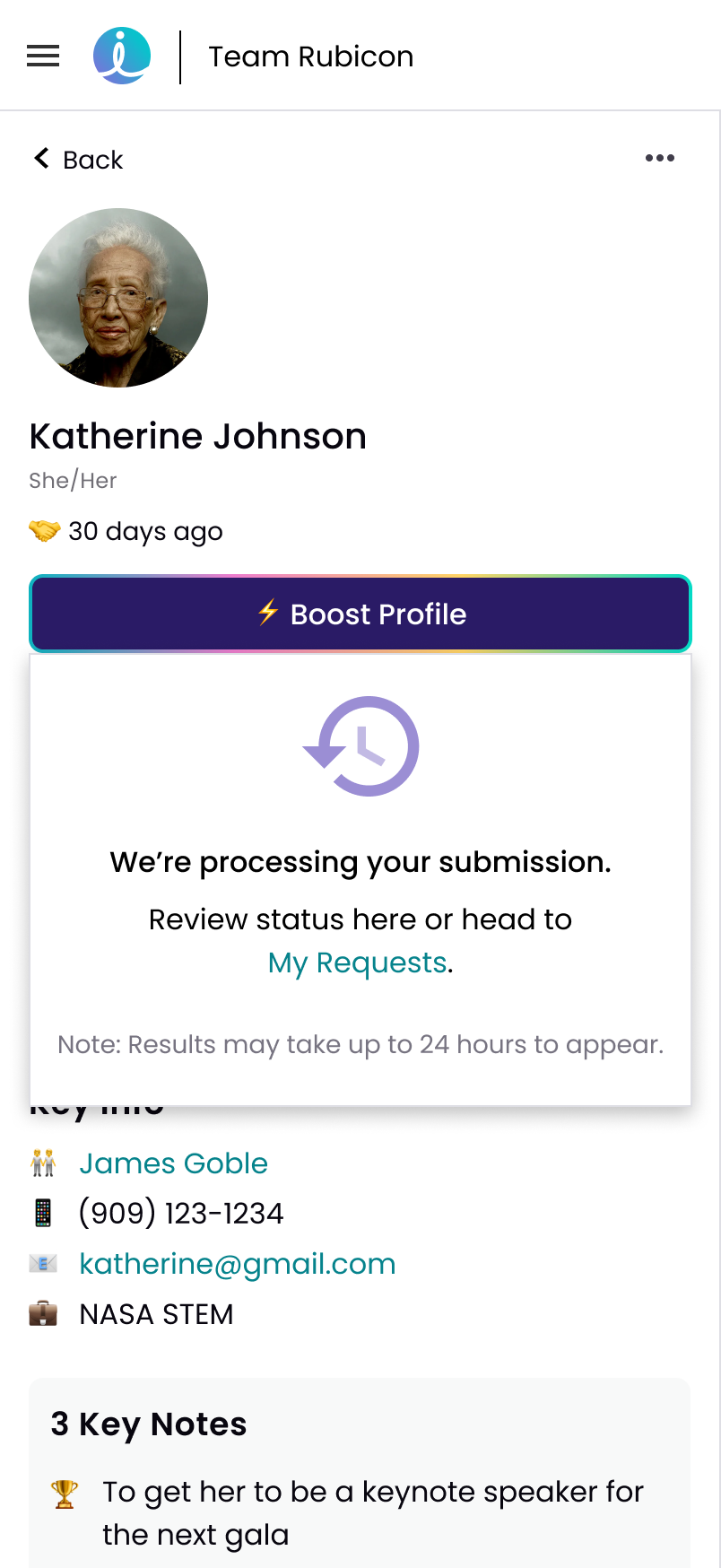
View fullsize Processing Request Modal
Processing Request Modal
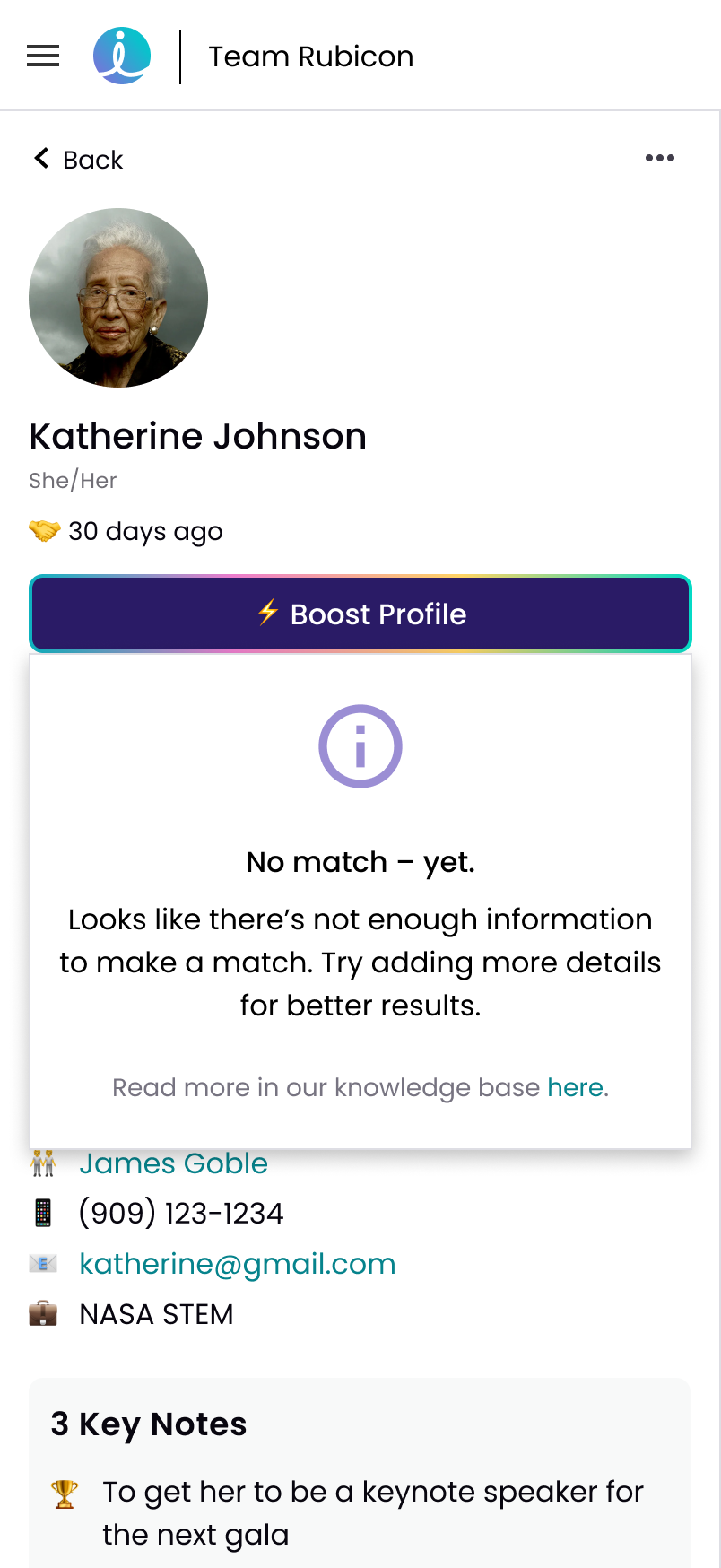
View fullsize Null Results Modal
Null Results Modal
View fullsize Match Returned Notification
Match Returned Notification
View fullsize Data Pane Default
Data Pane Default
View fullsize Data Selected Pane
Data Selected Pane
View fullsize Success Banner
Success Banner

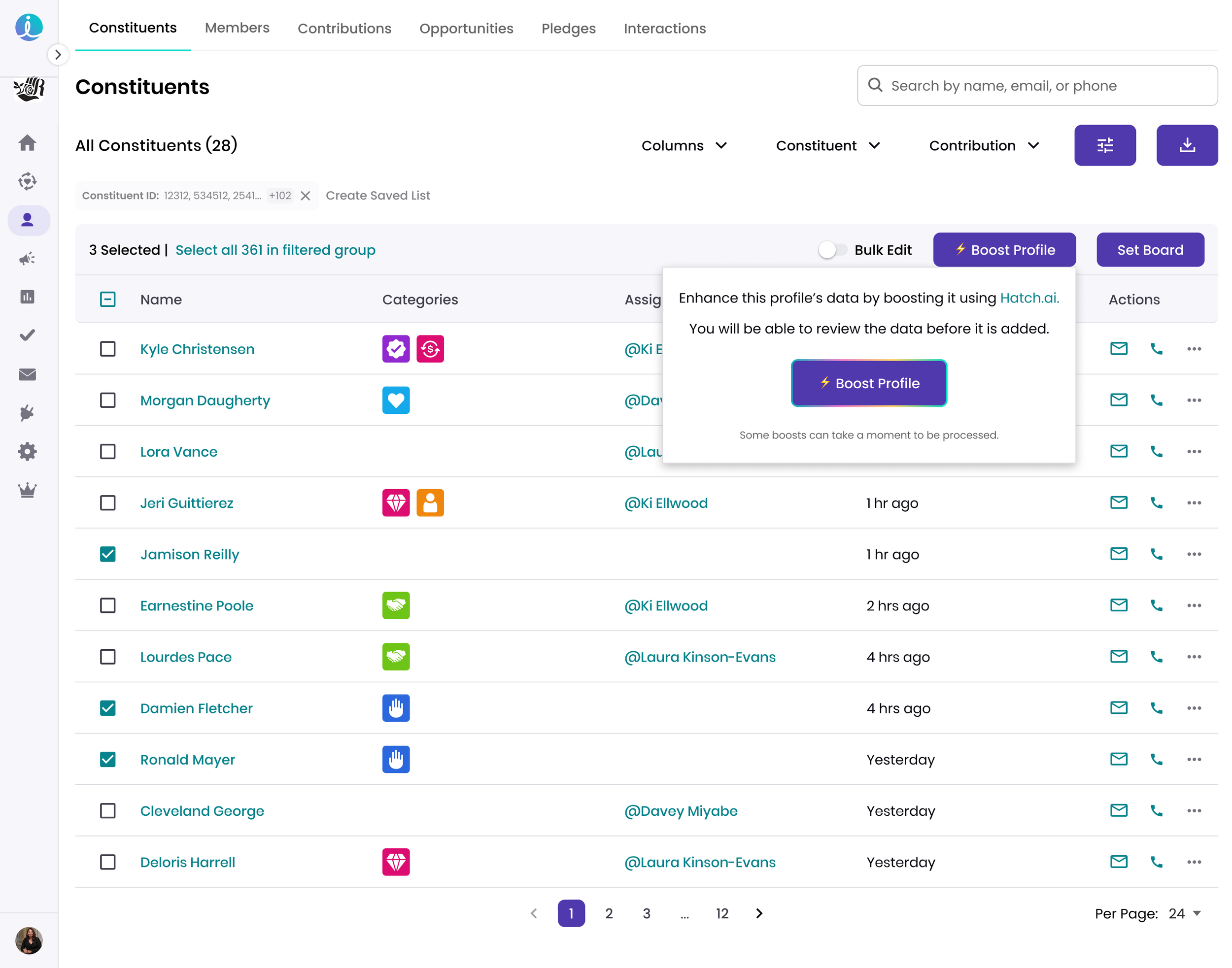
Bulk Boost Multiple Constituent Profiles - Desktop
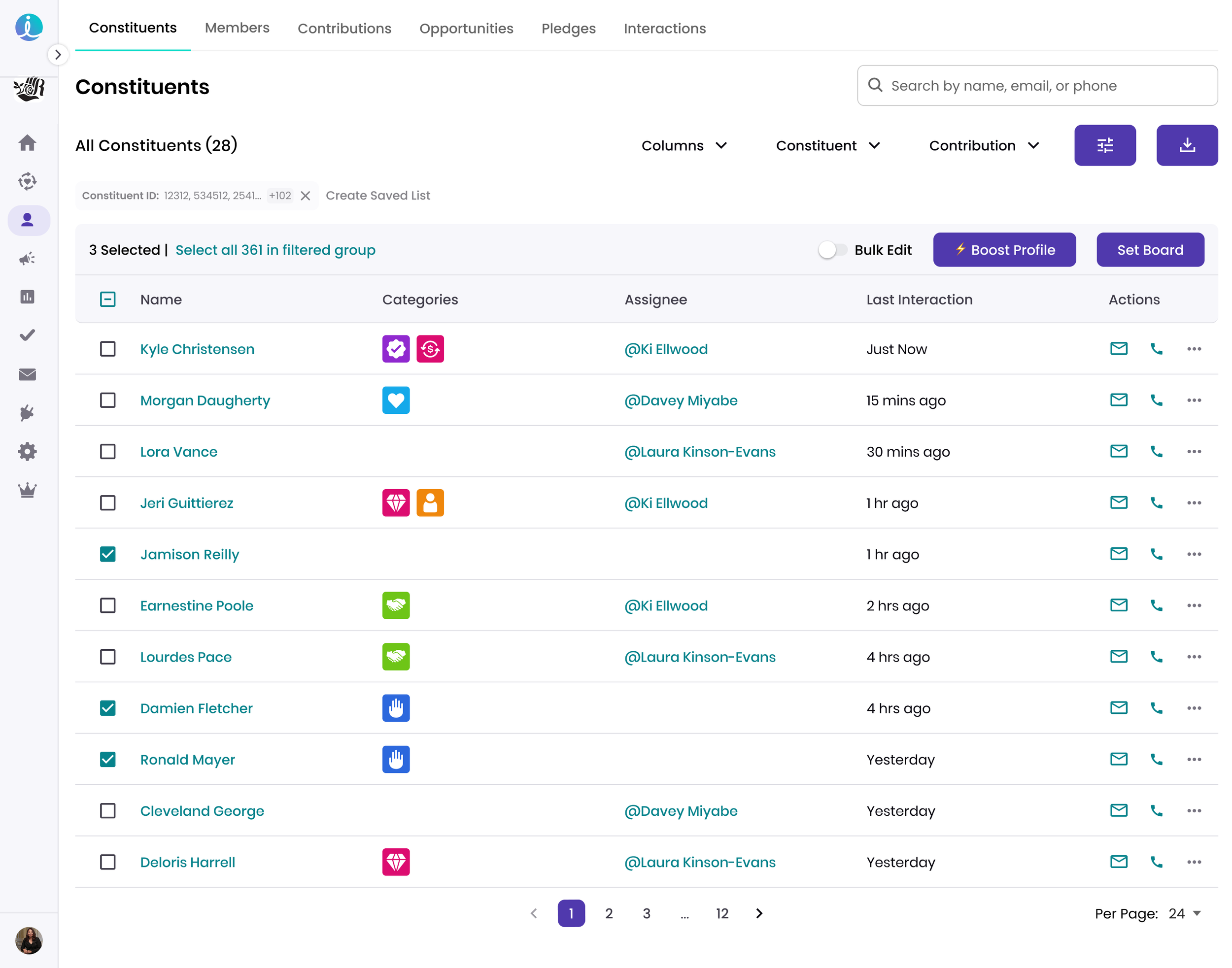
View fullsize Bulk Select Default
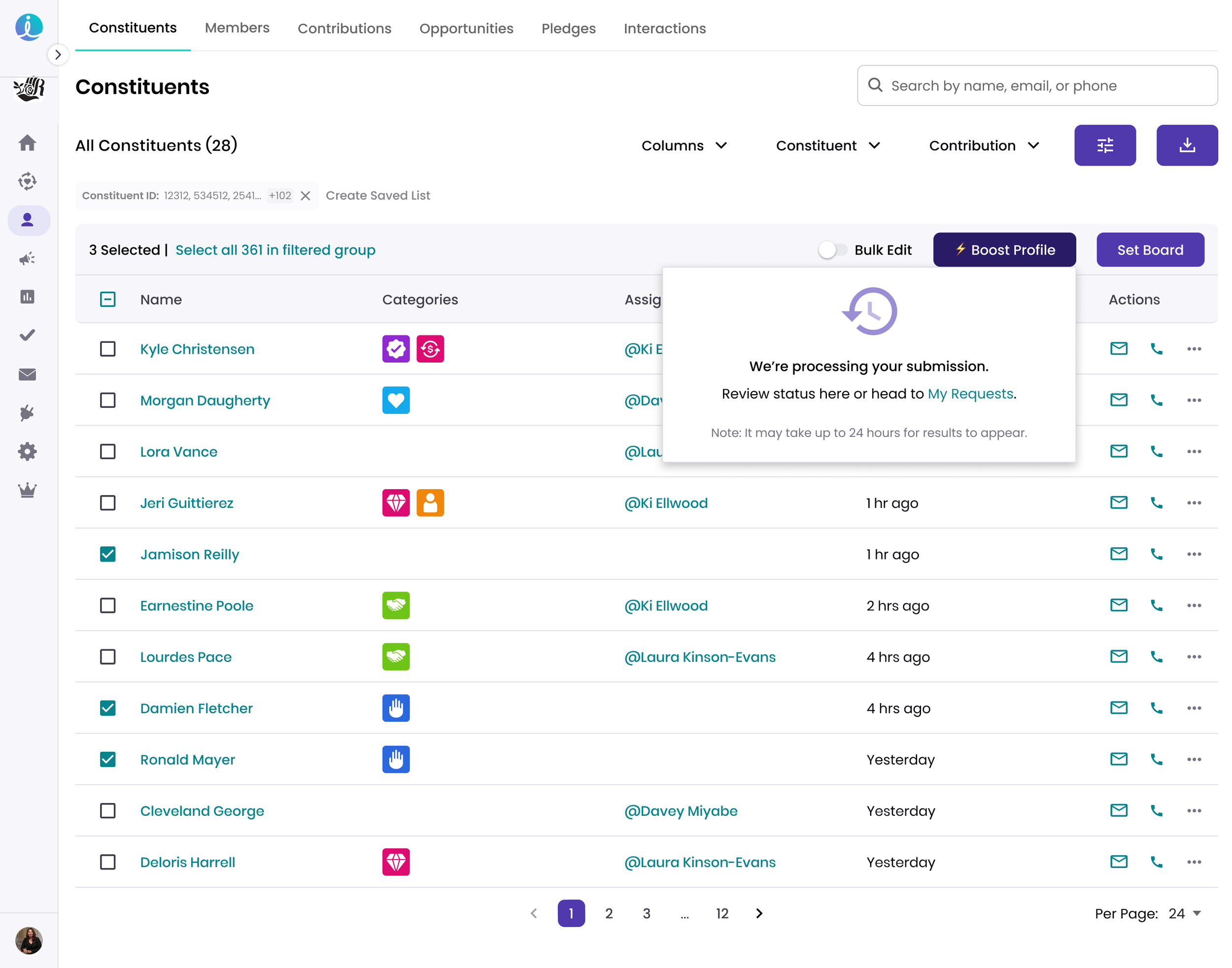
Bulk Select Default
View fullsize Bulk Select - Boost Modal
Bulk Select - Boost Modal
View fullsize Bulk Select - Processing Boost Modal
Bulk Select - Processing Boost Modal
 

Phase 2 - Enable “X-Ray Mode” to View Data Sources

X-Ray Mode Desktop & Mobile
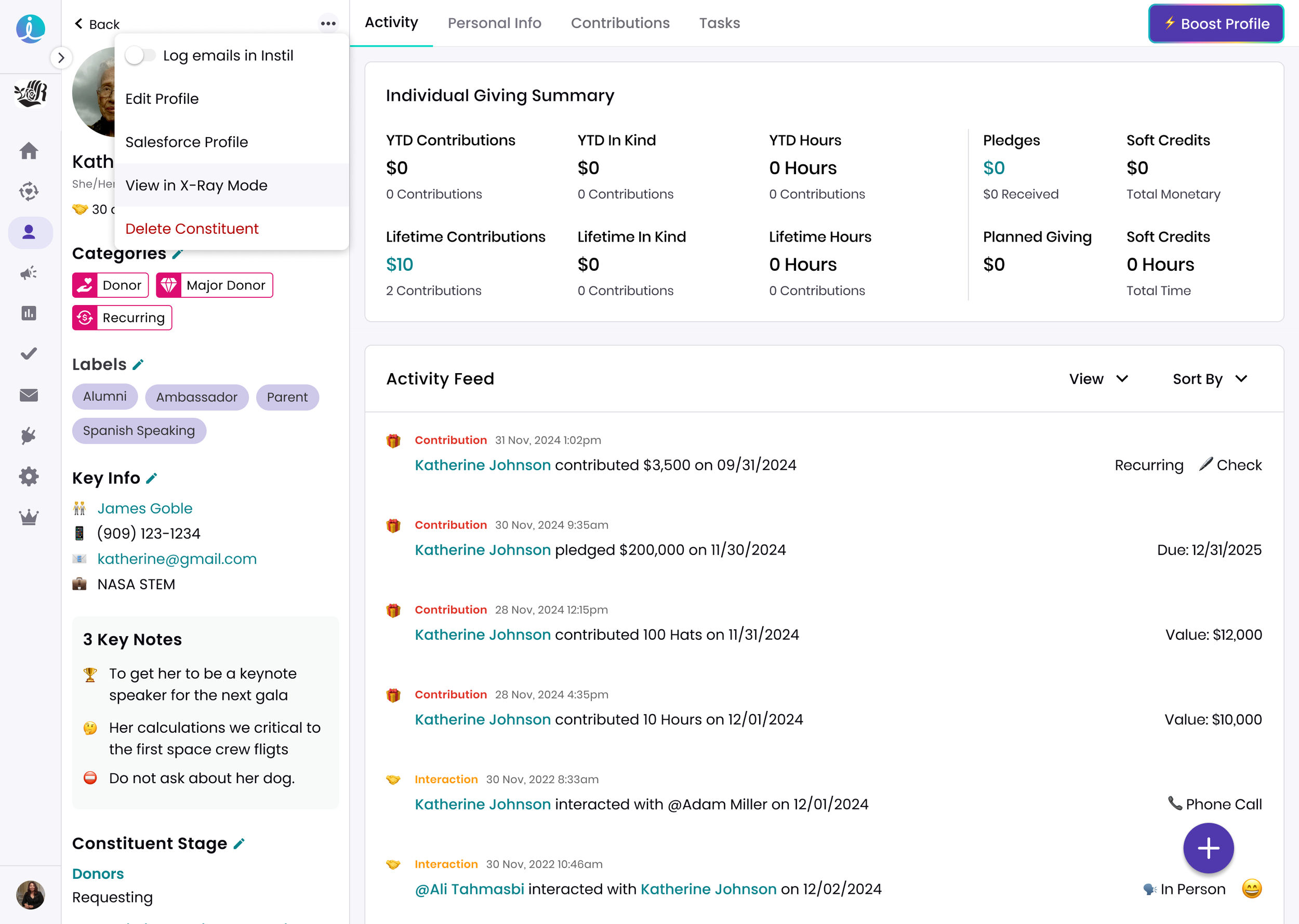
View fullsize X-Ray Mode in Menu
X-Ray Mode in Menu
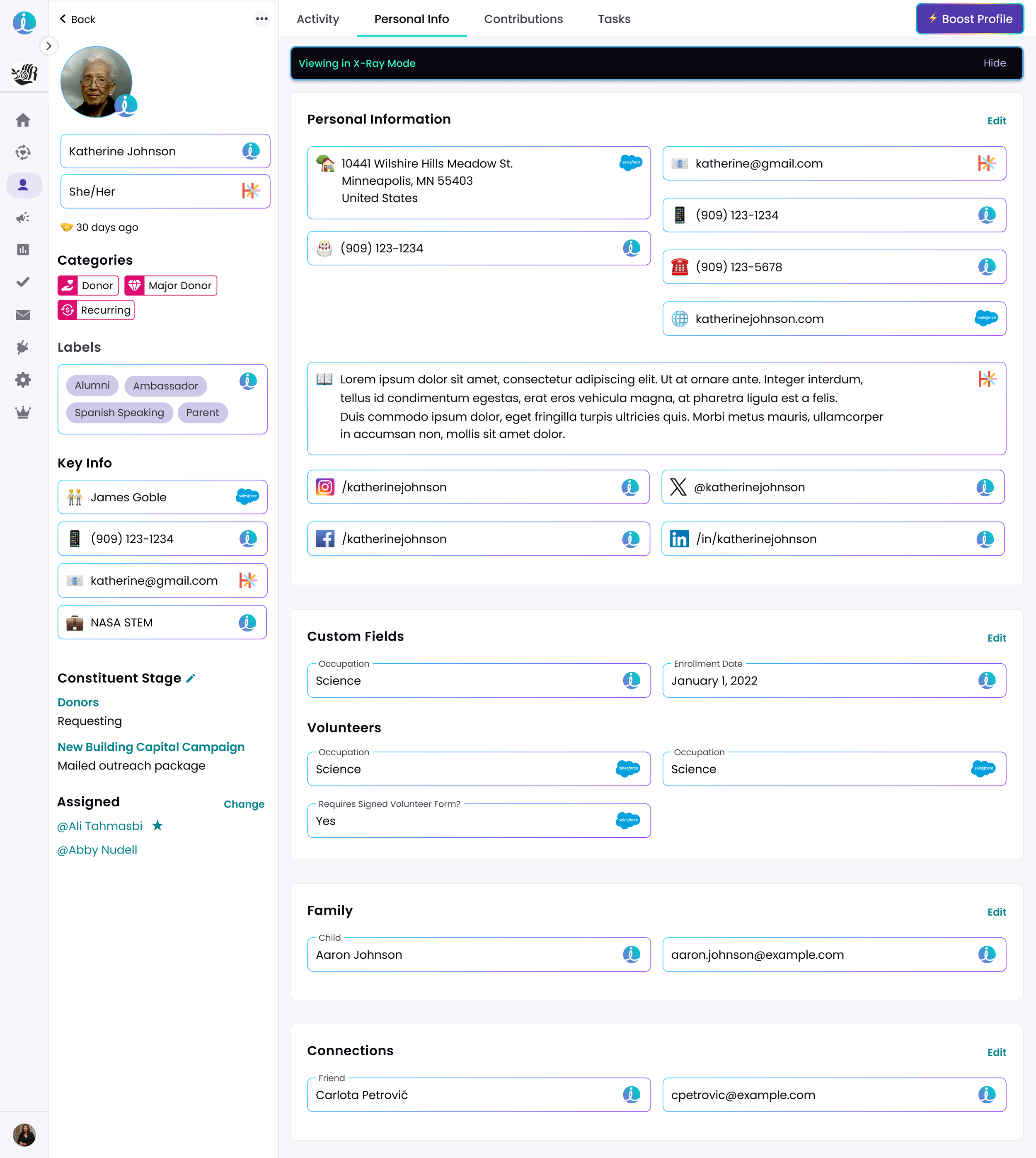
View fullsize X-Ray Mode Enabled
X-Ray Mode Enabled
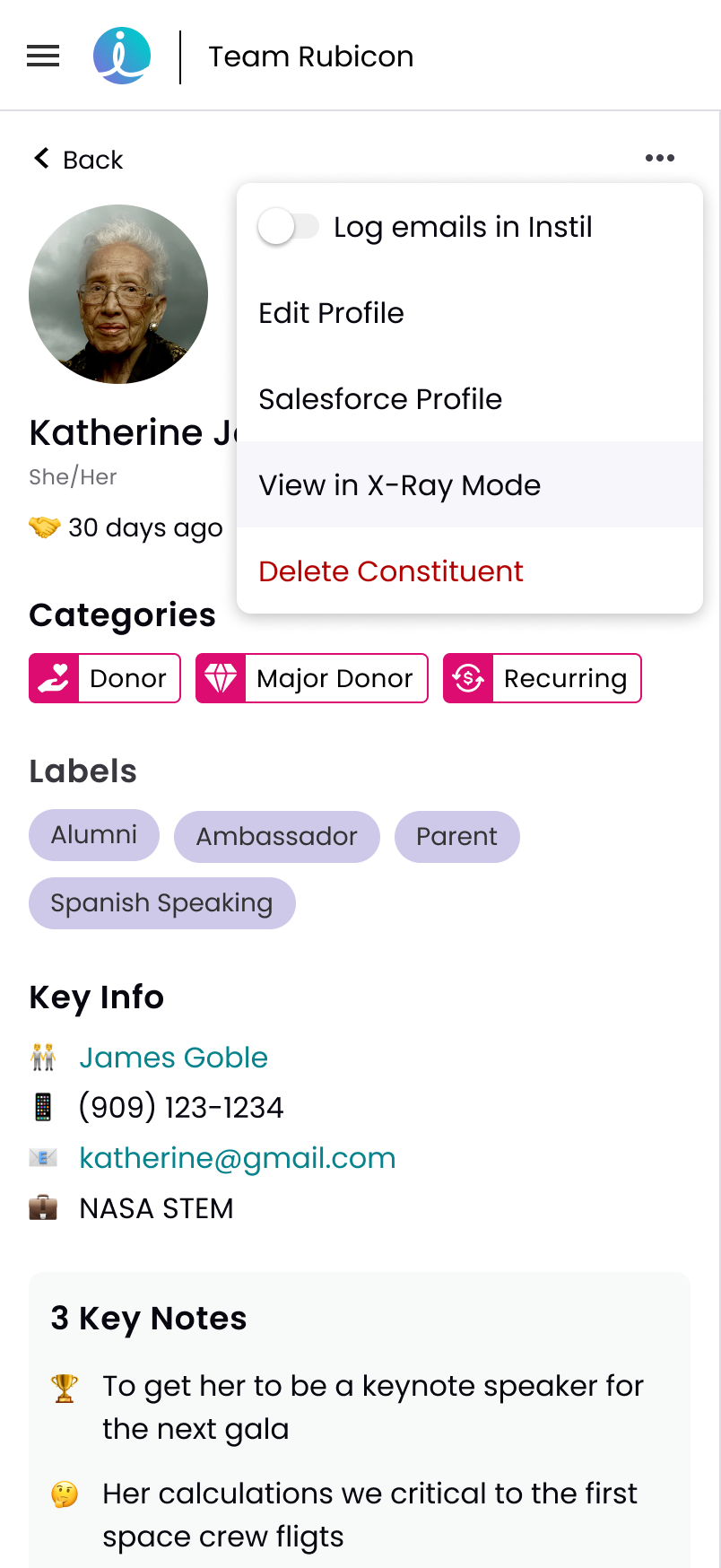
View fullsize X-Ray Mode in Menu
X-Ray Mode in Menu
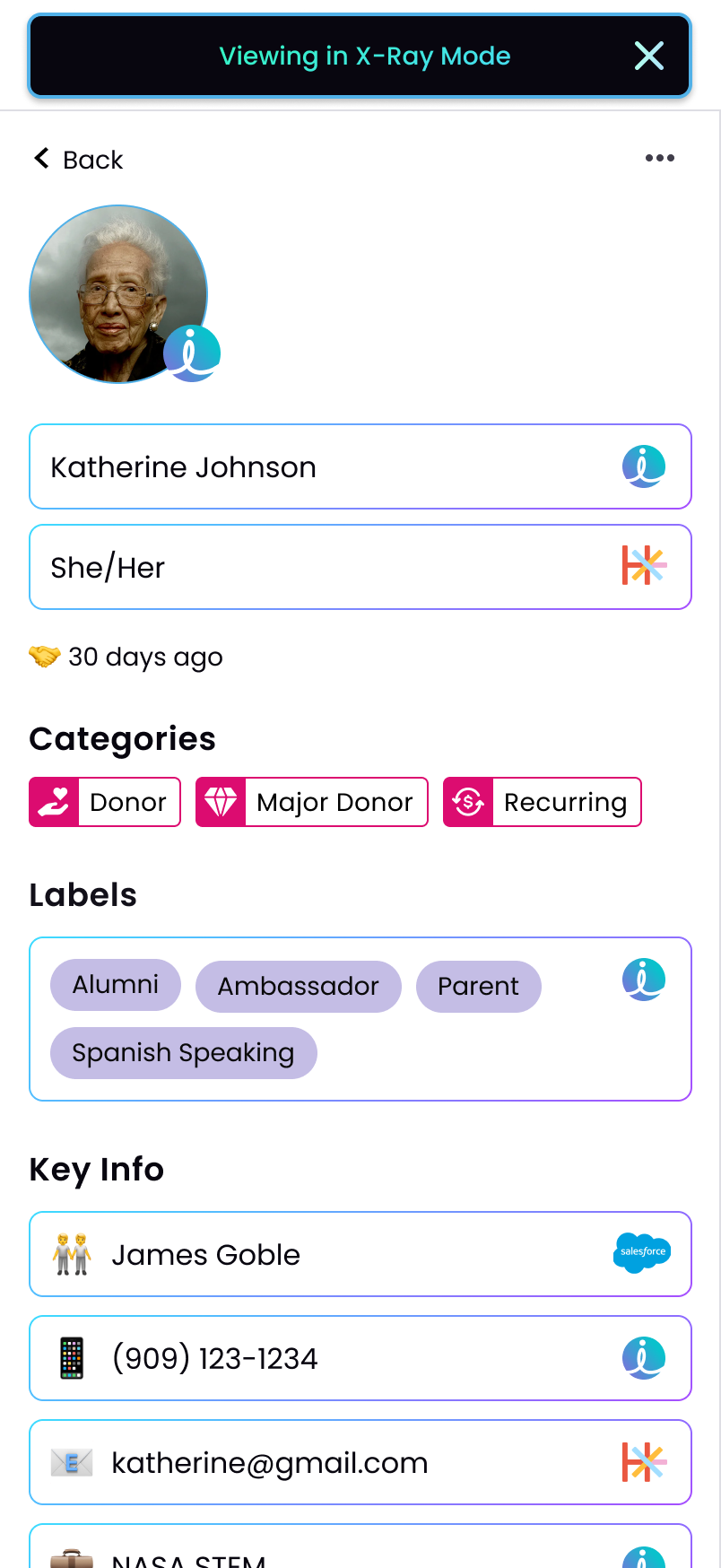
View fullsize X-Ray Mode Enabled
X-Ray Mode Enabled
 

Thank you for your time!